
An online simulator for the Justice Institute of British Columbia
The Emergency Operations
Center Simulator
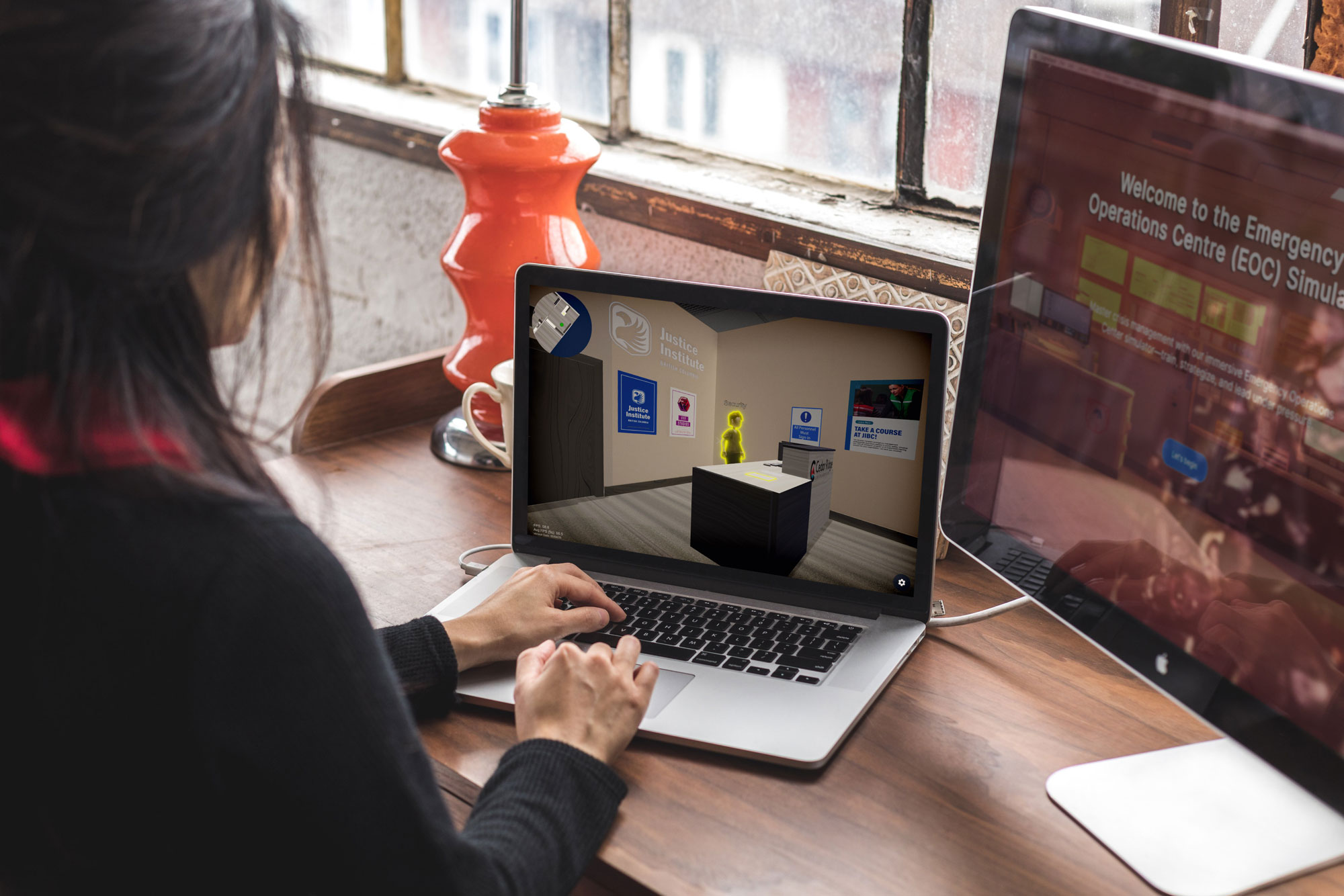
FFF Studios led the design and development of the Emergency Operations Center (EOC) Simulator, an interactive training experience built to replicate the structure and responsibilities of a real Emergency Operations Center. The team collaborated across disciplines to translate complex emergency management workflows into an intuitive, web-based simulation accessible to government and institutional users. From systems planning and UX design to visual branding and in-simulation assets, FFF Studios delivered a cohesive, realistic training tool designed to build confidence, reinforce course learning outcomes, and support practical skill development.
Scope
Team
Janelle Hinesley – Project Manager & Designer
Doris Zhuo – UI/UX Designer
Kexin Chen – 3D Artist
Han Gong – 3D Artist
Oscar Rutzo – Game Developer
Nu Yu – Game Developer
Varghese Bobus – Game Developer
Year
2025
About
The Problem
Online learners lacked realistic, hand’s-on EOC training
Emergency Operations Centers (EOCs) play a critical role in coordinating responses during disasters and emergencies, ensuring that all efforts are organized and effective. However, online learners at the Justice Institute of British Columbia (JIBC) currently lack access to an immersive EOC training experience. In-person students benefit from practical exercises that allow them to play out EOC roles in simulated scenarios, but online learners rely on text-based chat forums that fail to replicate the dynamic, high-pressure environment of an actual EOC. This disparity diminishes the effectiveness of training and leaves online students less prepared to apply their skills in real-world situations.
The Goal
Create a digital simulation can effectively replicate the dynamic, high-pressure environment of an EOC.
While the long-term objective is to develop a fully scalable and customizable digital simulation covering multiple EOC roles and scenarios, this short-term project will focus on creating a flood disaster scenario with three playable roles: EOC Director, Operations Section Chief, and Planning Section Chief. This targeted approach ensures a manageable scope while delivering a high-quality, role-specific training experience that addresses critical learning objectives.
The Solution
A web-based game designed around limited download access and low tech comfortability
To make the game accessible to students, specifically government employees who are limited in downloading applications, we will be creating a WebGL based game. To increase immersion, the simulation will mimic the environment of an EOC and as well as allowing users to interact with non-player characters and items in the environment to complete various role based tasks. The scenario will include a surprise inject – replicating real life emergencies where an emergency can experience rapidly changing developments.
Key Features
- Each role provides a unique player experience, allowing the user to experience what part each position plays in an EOC.
- Experiencing a realistic emergency scenario, making the game applicable and appealing to students nationally.
- Gamified elements that make the experience more interactive and engaging for students.
Research
Gain an in-depth understanding of JIBC, Emergency Management, end-users, art style, mediums, technology, and game design needed for the project
Table of Contents
Requirements
Given JIBC’s need for a virtual EOC solution, the following key points outline the primary considerations for user flow and the standards by which potential platforms or solutions should be evaluated:
- Immersiveness/Interactivity
- The 2D or 3D environment should allow role-playing, navigation, viewing displays, completing forms, and making decisions.
- Multi-Role, Multi-Task Processes
- Clearly distinguish different responsibilities and actions for roles such as the EOC Director, Operations Chief, Planning Chief, etc.
- Accessibility
- Since the course is offered online, the platform must be compatible with typical learner devices and network conditions, ensuring a low barrier to entry and broad accessibility.
- Customizability
- Must allow flexible adjustments or extensions to align with EOC course objectives and various emergency scenarios.
- Budget
- The solution should balance a sufficient level of immersion with manageable technical requirements and implementation costs
Competitor
Selection of 3 Key Competitors & Reasons
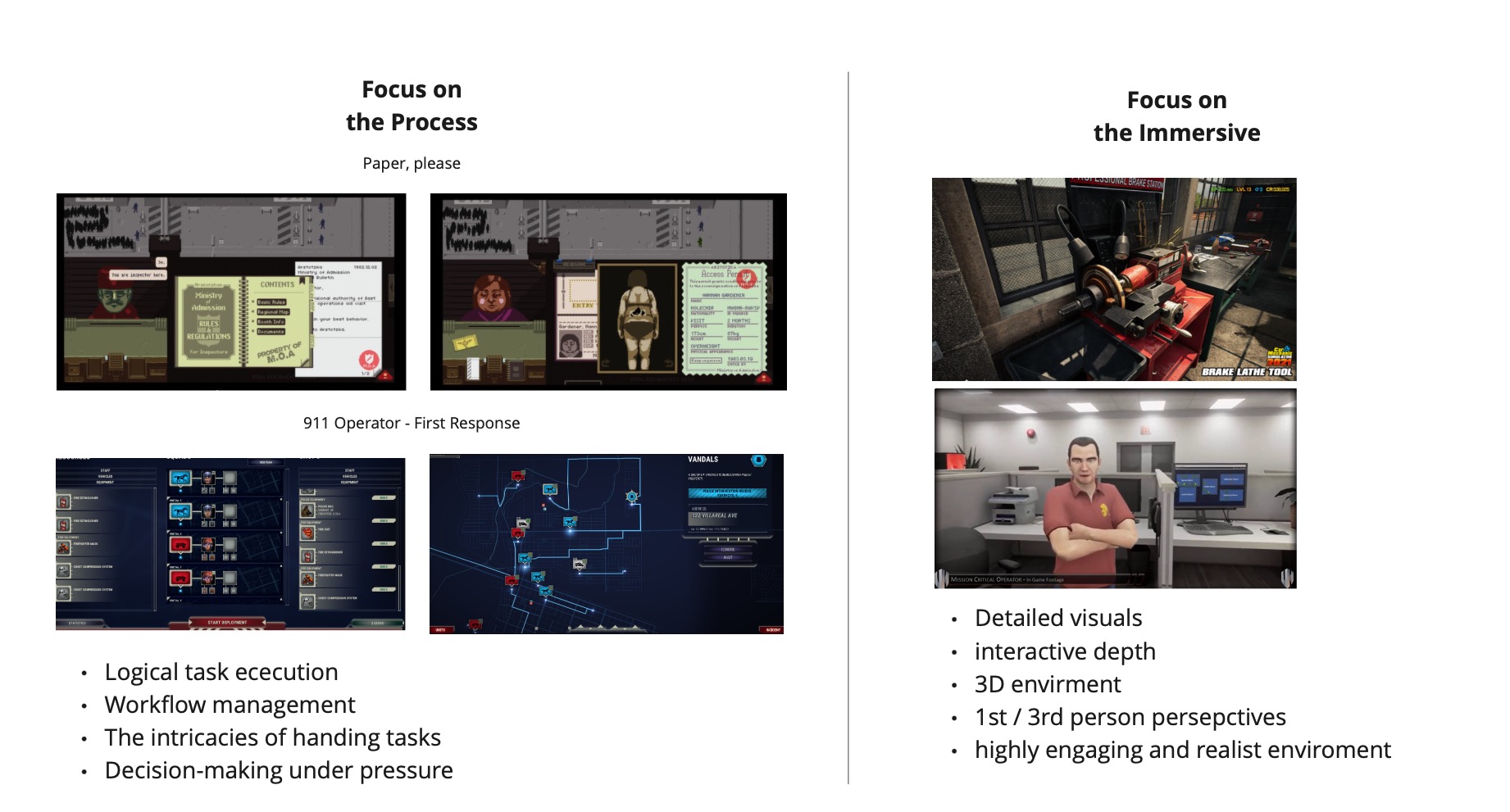
Based on the JIBC’s requirements for a virtual EOC environment—covering multiple roles, immersive interactions, and feasible deployment for online learners—the following three solutions stand out as the most relevant to investigate in greater depth:
- XVR Simulation XVR Sim
- Why it’s a top pick:
- Specifically designed for safety and security professionals, focusing on incident command training.
- Offers flexible scenario customization, aligned with multi-role EOC requirements (e.g., EOC Director, Operations Chief, Planning Chief).
- Emphasizes immersive, realistic training environments.
- Considerations:
- Costs and hardware requirements may be higher, so budget and technical feasibility must be evaluated.
- Why it’s a top pick:
- Virtual Heroes https://www.youtube.com/@Virtualheroes/featured
- Why it’s a top pick:
- Specializes in “serious games” with robust experience in government and corporate training.
- Multi-platform approach (PC, mobile, VR/AR) can adapt to JIBC’s online or blended learning model.
- Highly customizable to specific learning objectives and EOC workflows.
- Considerations:
- Typically custom-built, which may involve significant development timelines and costs.
- Why it’s a top pick:
- VEOCI (Virtual Emergency Operations Center) https://veoci.com/
- Why it’s a top pick:
- Comprehensive emergency management platform with modules for planning, response, and recovery.
- Offers robust real-time collaboration, resource management, and GIS/CAD integration.
- Directly addresses the management and operational components of an EOC.
- Considerations:
- Primarily a management/coordination tool, might lack the immersive 3D or game-like aspects.
- Why it’s a top pick:


Technical
In order to successfully build and deploy the simulator, the team needed to research and choose both an engine to build the game with and a platform in which users can play. We needed to consider the limitations of budget, user friendliness, and future expansion.
- Engine
- Unity:
We chose Unity because multiple developers have experience with it, and it offers a robust set of tools for both 2D and 3D development. Godot was considered but is more optimized for 2D, while Unreal Engine provides high-end 3D graphics but requires powerful hardware. Unity 6’s performance optimizations allow our 3D project to run efficiently on older PCs, making it the best fit for our needs.
- Unity:
- Platform
- WebGL:
We chose WebGL over mobile due to its ease of development and broader accessibility. WebGL allows us to display more information on-screen without excessive clutter, preserving immersion and enabling more interactive minigames. Additionally, testing across different machines is more straightforward, making it easier to identify and optimize performance issues. Finally, WebGL would allow users to access the game without the need to download anything, allowing students with computer restrictions – such as government employees – to play the game without issue.
- WebGL:
Emergency Operations
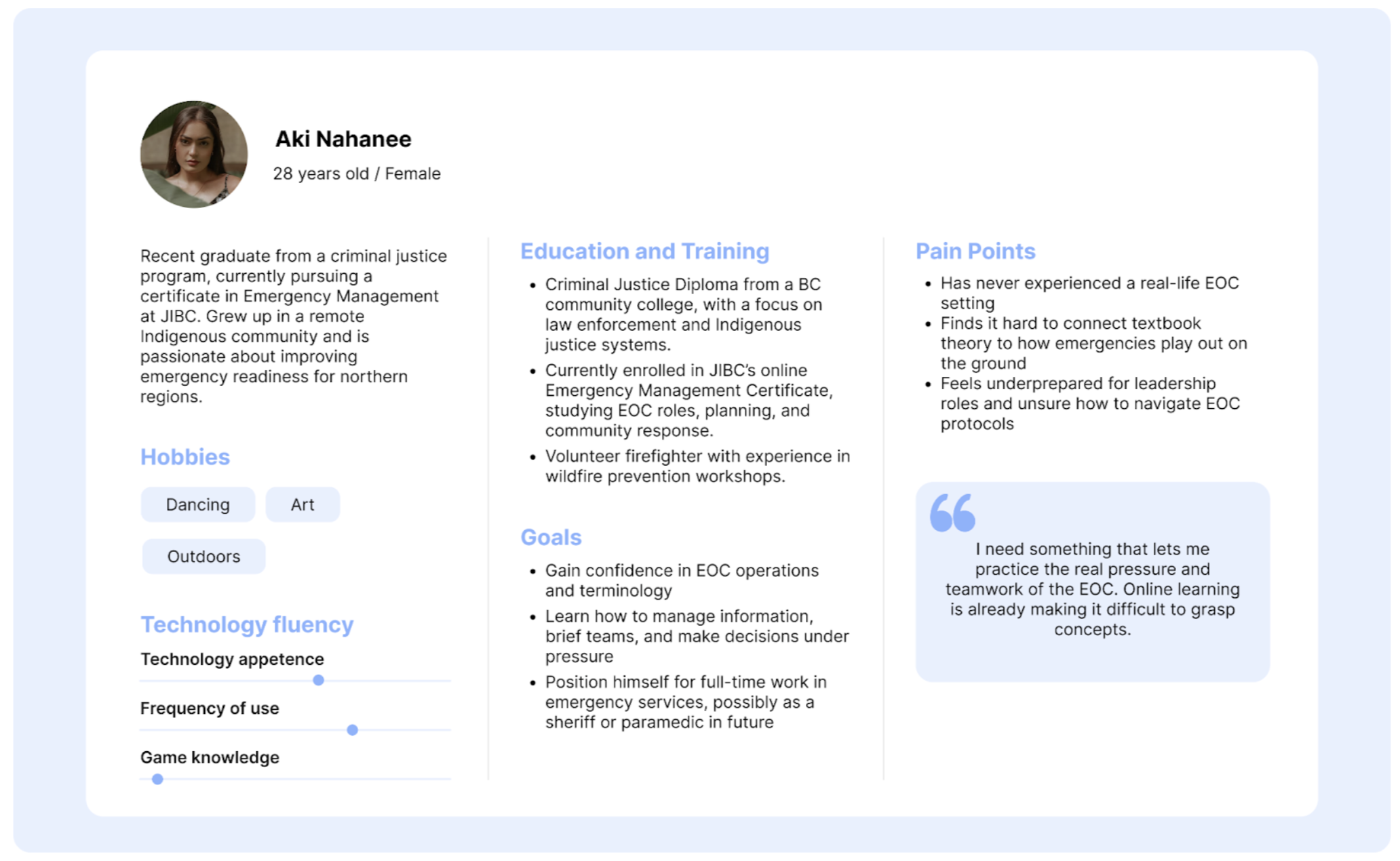
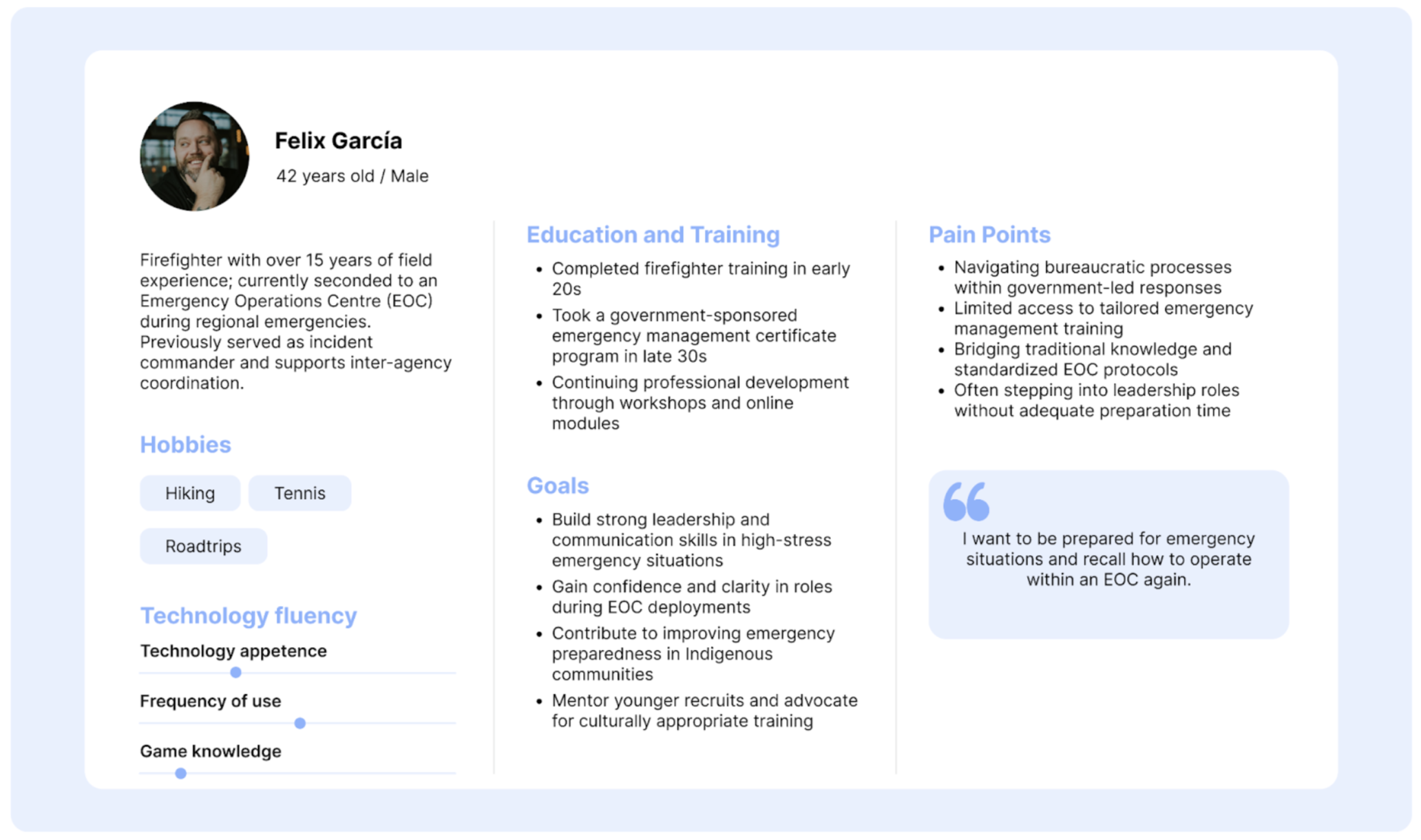
Our simulator will serve a multipurpose use, first, supporting the online learning experience for student at JIBC and second, for government workers or volunteers who would like to refresh their memory on EOC operations. JIBC was able to provide us context and details for us to formulate these personas based on demographic details, goals, pain points, behaviours, tech fluency. The primary and secondary personas are the following:
Design
To design a game that fit the needs of the client, the class, and the user, there were several areas in which we needed to conduct design research:
- Immersion and Interactivity
- Use diegetic UI: helps make the story and player experience more immersive.
- Dialogue and storyline: makes the game more compelling as it guides the player through a process and builds depth
- Leverage environmental storytelling: let players learn through exploration and small discoveries.
- Head-up display (HUD) and Visual Design
- Use HUD sparingly to avoid breaking immersion: helps player gain access to tools that support their experience (e.g. UI buttons, settings menu, exit, dialogue, health bar, mini map)
- Reduce cognitive overload: especially in simulations, minimizing overwhelming usage of texts and dialogue
- UX Mechanics
- Feedback systems: Clear response to user actions (sound, animation, text display, changes in environment or story)
- Affordance and accessibility: Make controls and tools intuitive and responsive to real-world expectations. UI should meet accessibility requirements for font sizes and colour contrast rations
- Different states: Failure and success states, helps guide the player in their experience to indicate if they are progressing correctly
- Core loop: Helps keep the player engaged as the loop is repeated through the game
User
Our simulator will serve a multipurpose use, first, supporting the online learning experience for student at JIBC and second, for government workers or volunteers who would like to refresh their memory on EOC operations. JIBC was able to provide us context and details for us to formulate these personas based on demographic details, goals, pain points, behaviours, tech fluency. The primary and secondary personas are the following:
Findings
For a WebGL-based virtual EOC with immersive 2D/3D and multi-role simulation, there is no single off-the-shelf solution that fits all needs right out of the box. Most solutions either prioritize web-based collaboration but lack advanced simulation (e.g., VEOCI for management, FrameVR for 3D collaboration) or deliver powerful 3D simulation via a dedicated client (e.g., XVR, RescueSim). Consequently, organizations seeking to combine the benefits of a purely web-based delivery and a fully immersive EOC simulation will likely need to invest in custom development, leveraging general 3D/VR web frameworks or adapting existing collaboration tools to EOC training scenarios.
Concept Development
Translate real-world Emergency Operations Center workflows into an engaging and accessible interactive training experience.
Table of Contents
Our team utilized multiple methods during concept development including creating user flows, storyboards, and empathy maps. Ideation methods such as diverge and converge, Crazy 8s, & mind mapping were used to help us come up with exciting possibilities and the MoSCoW method to help decide what ideas were most important to focus on.
Gameplay
Core Loop
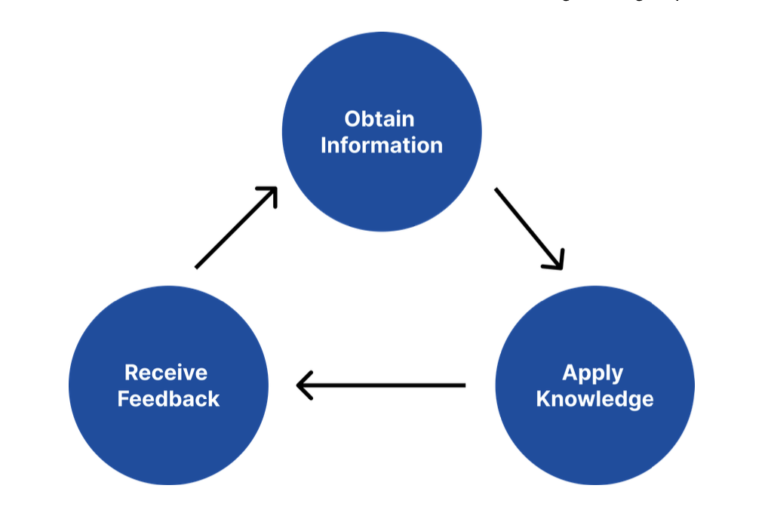
As this platform is designed to supplement the online learning at JIBC, it is crucial to consider how the simulator helps students with their learning experience. The core goal is to allow students to explore the environment, familiarize themselves with the roles and resources at the EOC, and be able to apply course content in an emergency situation. Therefore, our team and JIBC decided to instill this following learning loop:
- Obtain information: Obtaining information can come from speaking with other non-playable characters (NPC) or reading displays on the walls.
- Apply knowledge: Applying knowledge consists of mini-games that test the players knowledge. Mini-games include selecting displays to showcase within the EOC, filling out forms, selecting the right response for dialogue, selecting good and bad versions of a form.
- Receive feedback: The player will be able to receive feedback within the game through various ways including immediate dialogue feedback, post mini-game feedback, and end of simulator feedback page that summarizes the players performance.
Game Flow
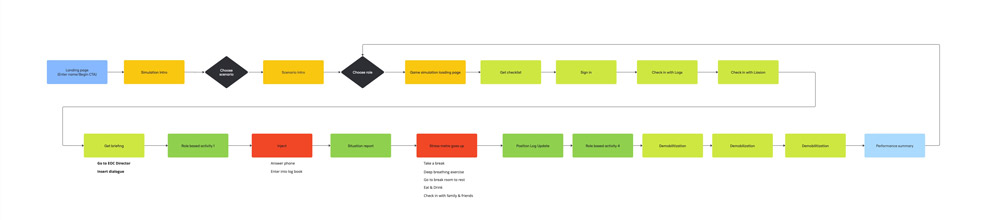
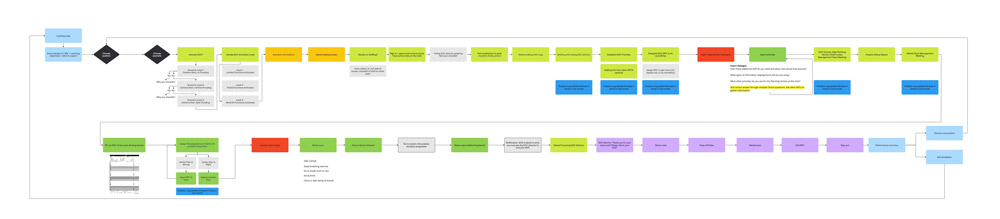
Now that we had established the core loop and the different mechanics the game would include, the team began developing the overall flow of the game. As each position would have a unique flow, we decided to focus on developing the Planning Section Chief’s flow first, as it would have unique options at the intro of the scenario, which we could then use as a template to base the other position flows off of.
Initial Flow
The initial flow chart was a great way for our team and JIBC to visualize and conceptualize the initial requirements from the client. The flow chart makes it easy to rearrange the game flow.
Final Flow
As we continued to develop the game, the interactions became more complex and our team was able to better refine the game flow. Having this visualization was crucial to help the UX/UI team, art team, and development team as everyone had a better sense of what they need to work on for each stage.
UI/UX
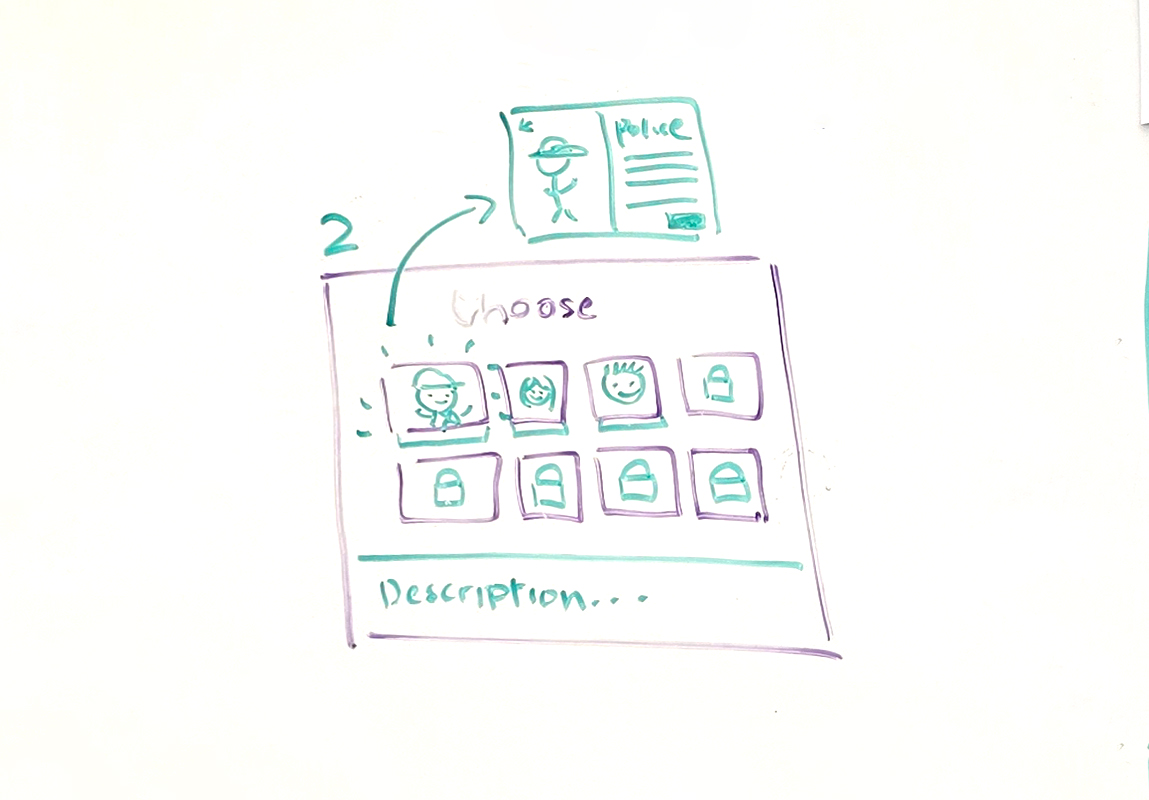
Ideation
The UI/UX ideation process for the simulator began collaboratively on the whiteboard, where the team mapped out user flows, screen layouts, and interaction points based on how a real Emergency Operations Center operates. This hands-on approach allowed us to quickly test ideas, discuss accessibility for non-gaming users, and refine how players would navigate tasks, dialogue, and objectives before moving into digital wireframes and implementation.
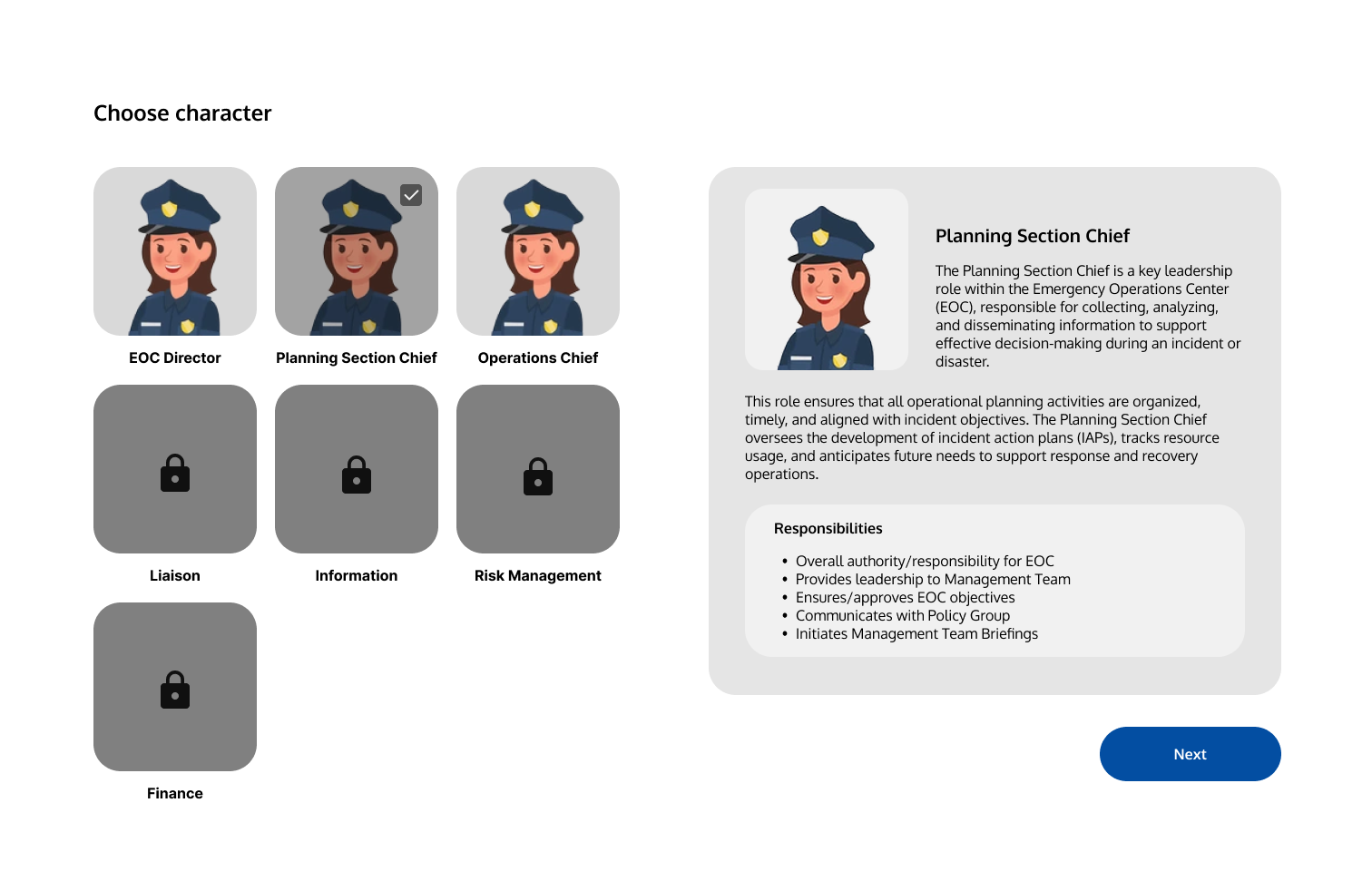
Wireframes
Once the initial concepts were established on the whiteboard, the ideas were translated into digital wireframes in Figma to refine layout, navigation, and user interactions. This process allowed the team to visualize the simulator’s flow more clearly, test usability, and iterate quickly on interface designs before implementation, ensuring the experience remained intuitive and accessible for all users.
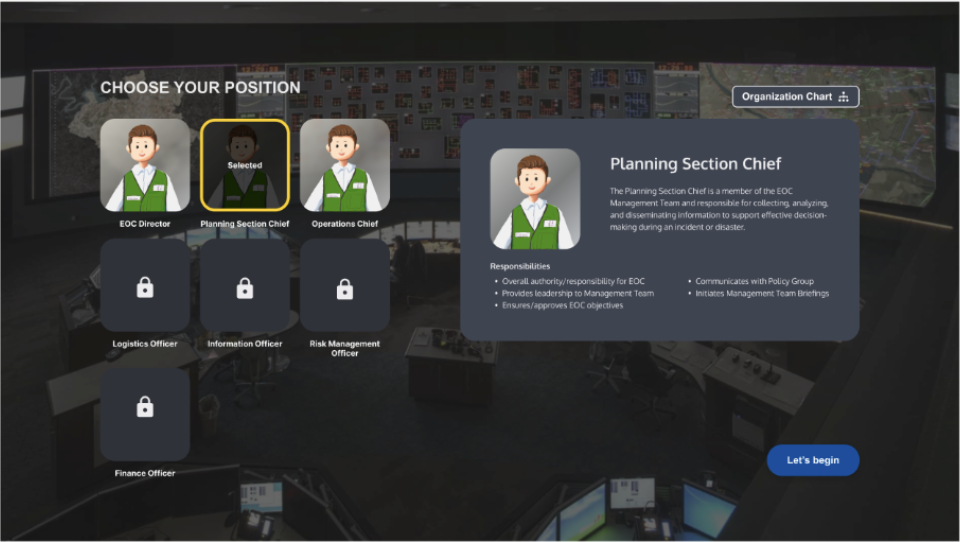
Mockups
After the wireframes were finalized, they were developed into high-fidelity mockups that established the simulator’s final visual direction, including typography, color, iconography, and UI styling. These mockups acted as a blueprint for the developers, providing clear guidance for implementing the interfaces accurately within the game while maintaining consistency across the overall user experience.
3D Assets
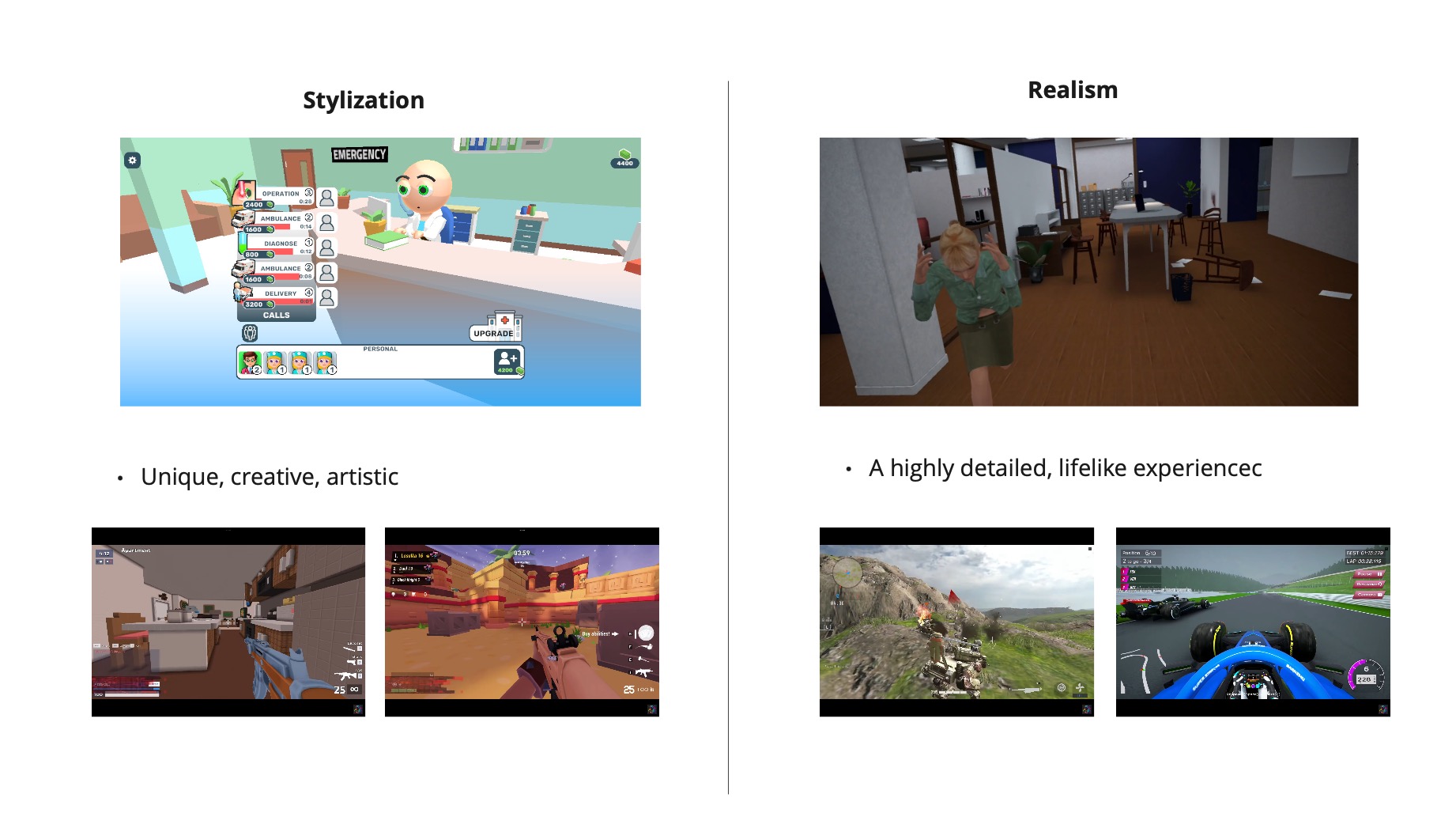
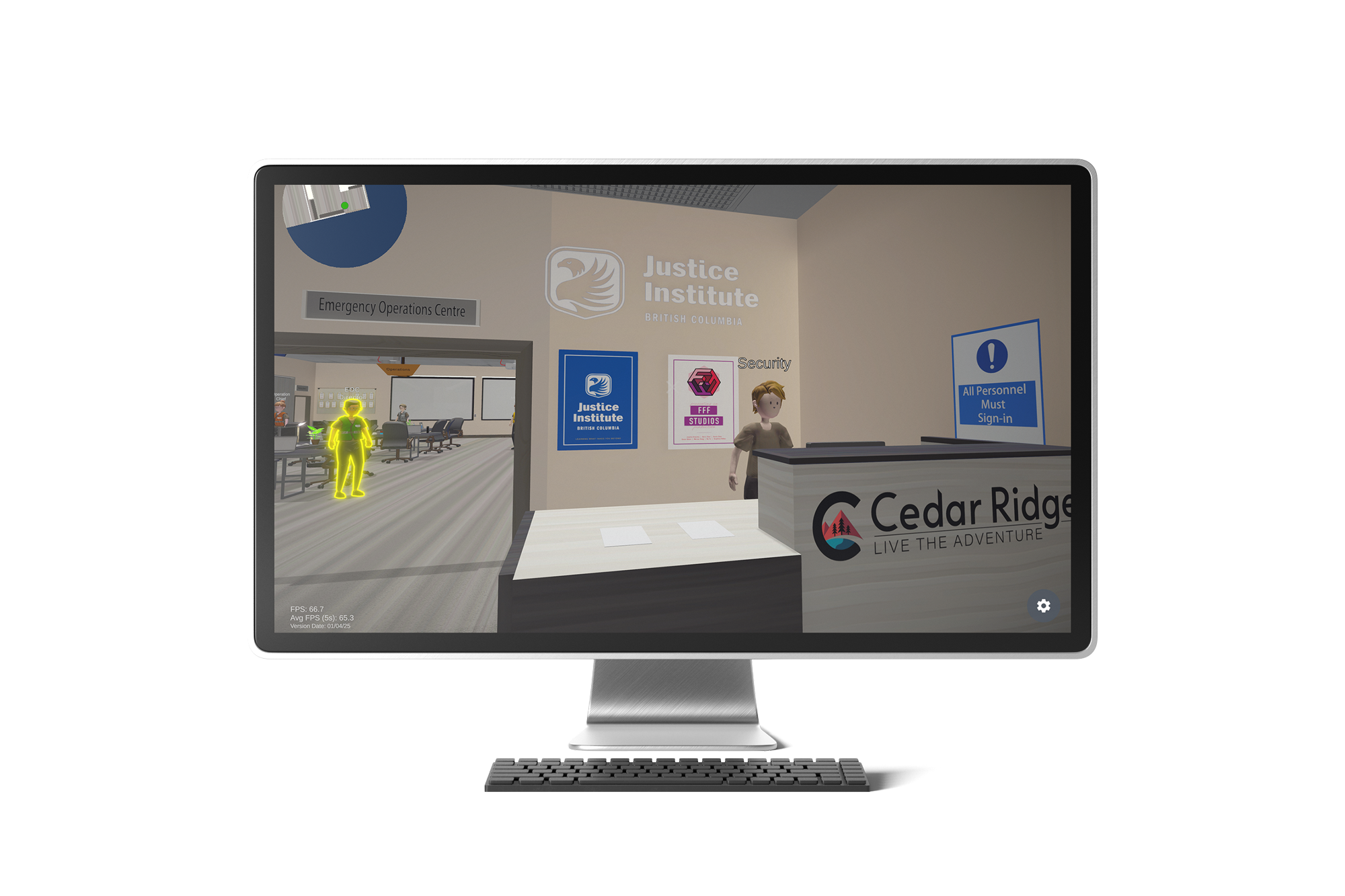
At the start, we faced a major challenge—the client did not provide a defined visual direction or concept art. Without a concept artist, our team had to collaboratively determine the art style. We chose a simple, clean, and functional look to prioritize clarity and avoid overcomplicating the environment & assets. This was especially important for a WebGL-based training app, where readability and performance matter more than heavy detail or realism.
As we found a good rhythm, we standardized our asset pipeline. This not only helped with performance but also reduced file clutter and kept our materials organized. We also implemented a consistent naming convention and a clear folder structure so everyone could find and update assets easily. This step helped improve team communication and reduce errors.
Late in the project, new client needs led to environmental changes and asset requests. Although the core structure was solid, some new assets didn’t fully follow the established trim sheet workflow, and time constraints prevented a full optimization pass. Luckily, we thought about this at the beginning of the project and left some space for future asset additions. Finally, we ensured these new elements visually matched the style and scale of the existing world.
User Testing
Evaluate the simulator’s usability, clarity, and accessibility, ensuring players could navigate tasks and interactions intuitively regardless of their gaming experience.
Table of Contents
Playtest 1
Overview
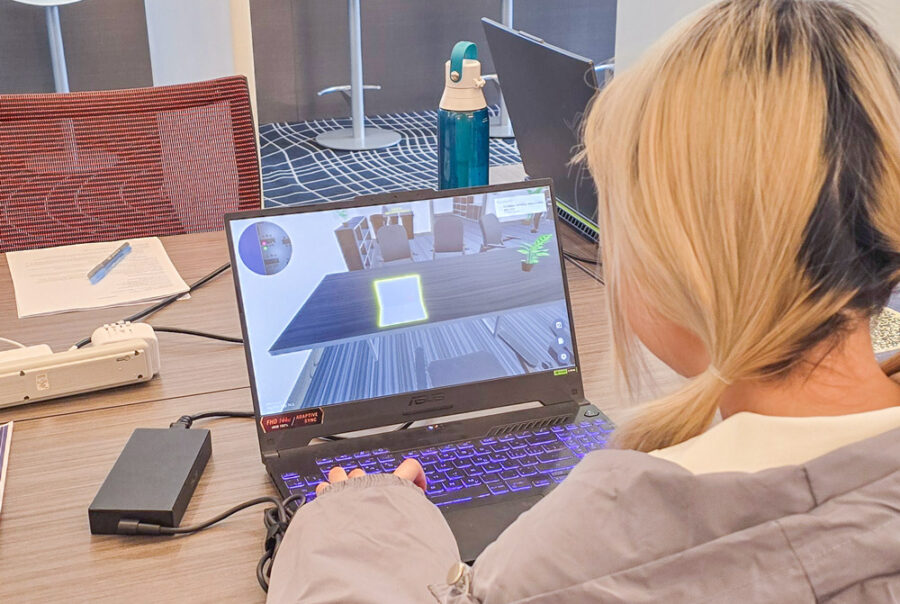
Assess how effectively players can recognize interactive elements, gather key information from environmental displays, move through the space, and complete simple tasks. Participants will be asked to complete a short sequence of actions that reflect real-world Emergency Operations Centre tasks. These include locating the situation room, reading information from the situation board, finding the operations station, and interacting with essential objects such as a printer, computer, and clipboard. The goal is to observe how intuitive the interface and environment are, and to identify areas for improvement in usability, clarity, and engagement.
Player Tasks
- Find situation room (tests their ability to find the room and enter in the correct way)
- Read what is on the situation board (tests their ability to observe, explore, and obtain information from the environment)
- Find the operations station (test their ability to explore the environment and obtain information)
- Interact with 3 items – printer, computer, clipboard
Objectives
- Test player’s ability to recognize interactive elements
- Test player’s ability to obtain information from the environment (board displays)
- Test player’s ability to move around in the environment
- Test player’s ability to complete simple tasks
Results
The EOC Simulator playtest showed strong overall usability, with participants finding the navigation intuitive (average rating 4.2/5) and movement controls highly responsive (average 4.6/5), especially with the preferred WASD scheme. Interactive elements were easy to identify thanks to glowing outlines and clear checklists, though some testers felt these cues made the experience too easy or overly guided.
While users were happy with the smooth game flow and clarity of tasks, many noted confusion at the beginning – particularly around door mechanics, task objectives, and the lack of scenario context. Suggestions included adding a proper tutorial or intro screen, improving task progression visibility, incorporating sound or voiceover elements, and refining visual cues to strike a better balance between guidance and challenge.
Key Insights
- 85% of players successfully obtained information from the wall.
- Player’s level of game knowledge/experience determines if they chose to navigate with WASD (more) or point and click (less)
- Player’s successfully identified highlighted items, but greater visual feedback is required to prompt clicks
- Environment was good, but signage could be improved
Issue We Discovered
Problem: Non-Gamer Confusion
While conducting the playtest, our team noticed the less experienced a user was with gaming, the more confused the player became with navigating and interacting with the environment. As one of the main demographics for the game was going to be older government employees who were less likely to be gamers, we knew we needed to address the situation.
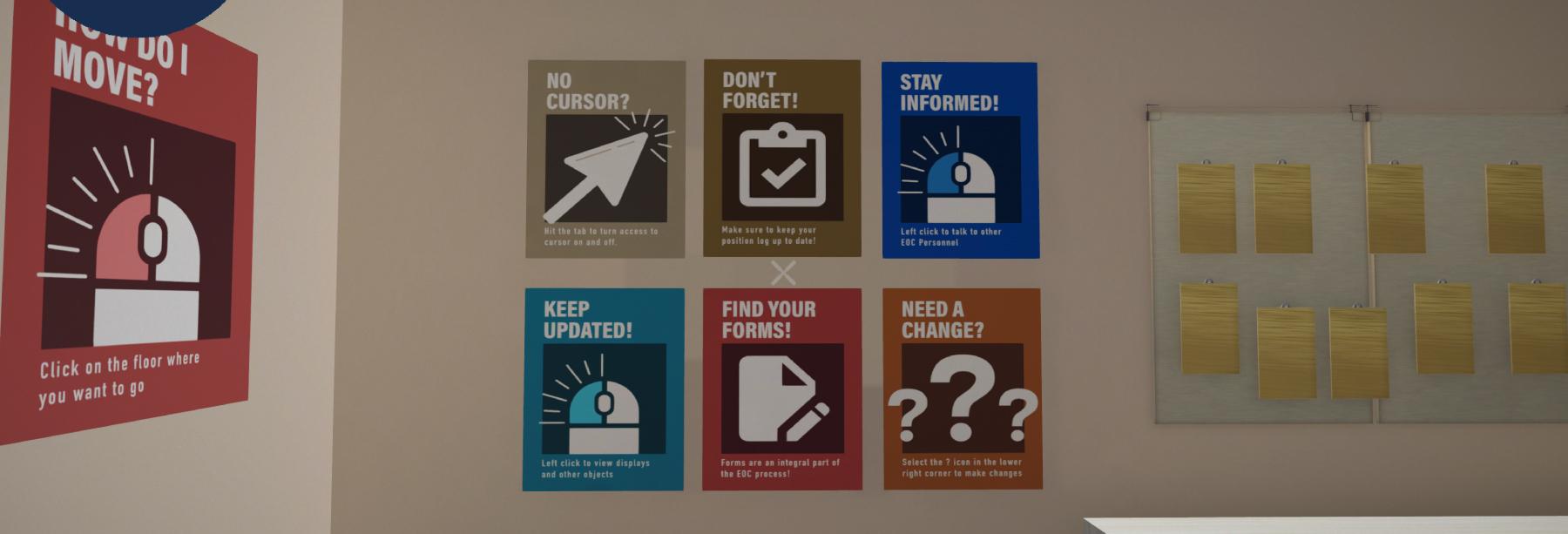
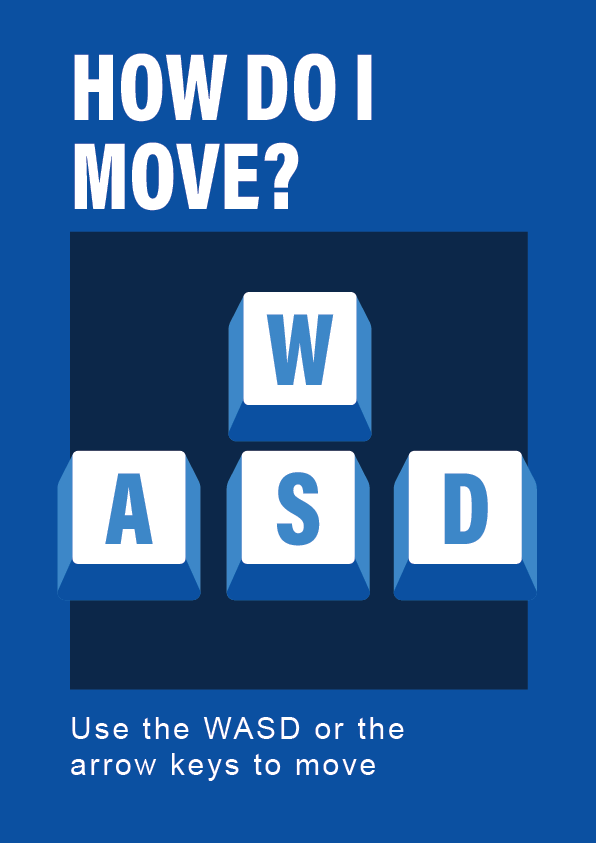
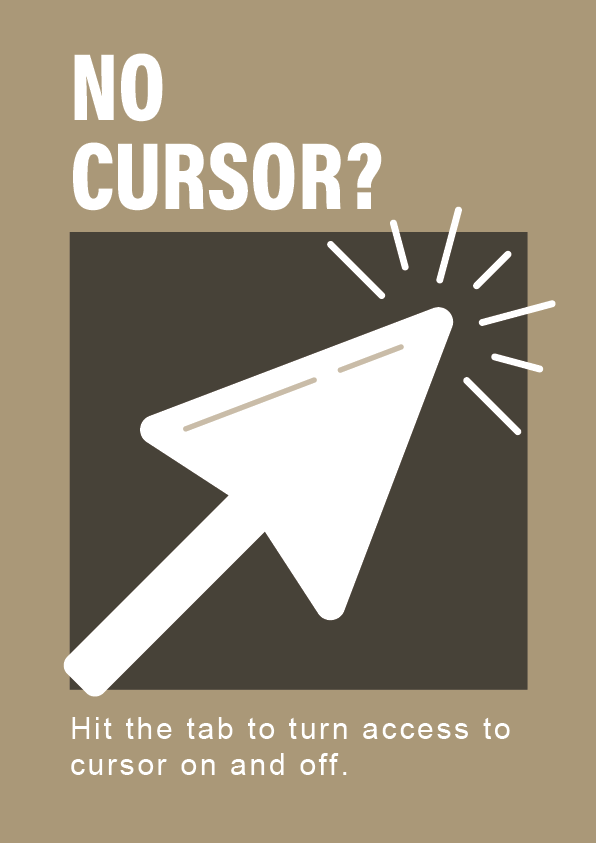
Solution: In-Game Graphics
As we knew players tend to skip tutorials or others could end up overloaded with information, in addition to fleshing out the pre-game tutorial, we opted to add in-game hints disguised as posters. I designed them to be simple to get the point easily across, while making sure they reflected JIBC’s branding. The player starting point faced a set of these posters which included how to navigate and interact with the environment.


Playtest 2
Overview
In this playtest, we’re evaluating how effectively players can navigate and interact with our EOC Simulator’s core systems. Specifically, we’ll be observing their ability to fill out in-game forms accurately, gather and respond to information from NPCs, and manage in-game stress levels under pressure. We’re also testing how intuitively players can recognize their next steps within the simulation, as well as the overall usefulness of the minimap in guiding them through objectives. The goal is to assess how well these features support learning and simulate real EOC workflows.
Player Tasks
- Do a play through of one position (Planning Section Chief) for one simulation (major flood)
Objectives
- Test player’s ability to fill out forms
- Test player’s ability to obtain information from NPCs and respond to them?
- Test player’s ability to relieve stress levels
- Test player’s ability to recognize what they are supposed to do next
- The usefulness of a minimap in-game
Results
Most testers found the game intuitive and easy to navigate, but dialogue length, lack of challenge, and static environments hindered the experience. Testers wanted more engagement, interactive mechanics, and better pacing for text-based content.
Key Insights
- 68% had a positive experience, with the lack of challenge and engagement cited as main reason for those with a negative experience
- Most players found the dialogue overwhelming and too long to read.
- Half of the players relied on the minimap and emphasized its importance for them during the game
Issue We Discovered
Problem: Dialogue Overload
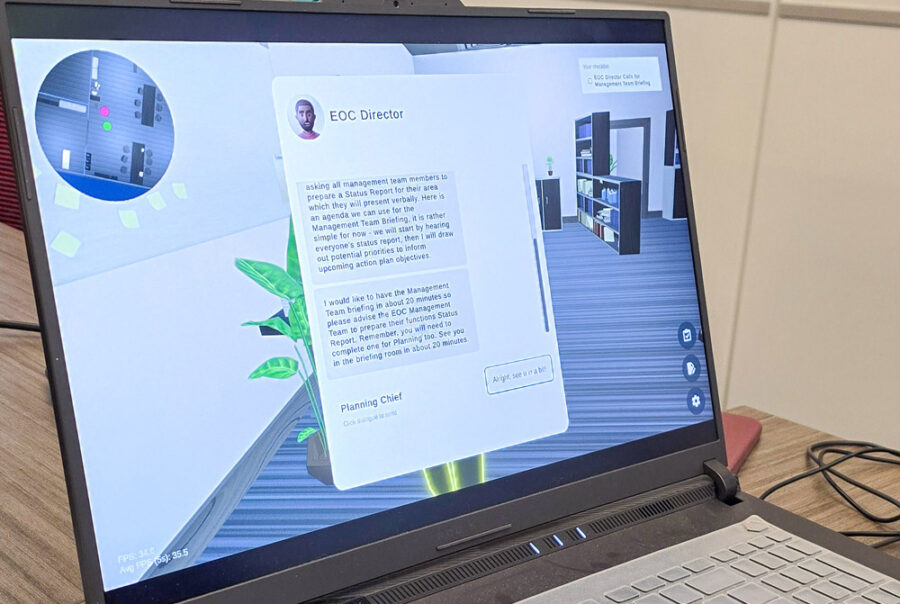
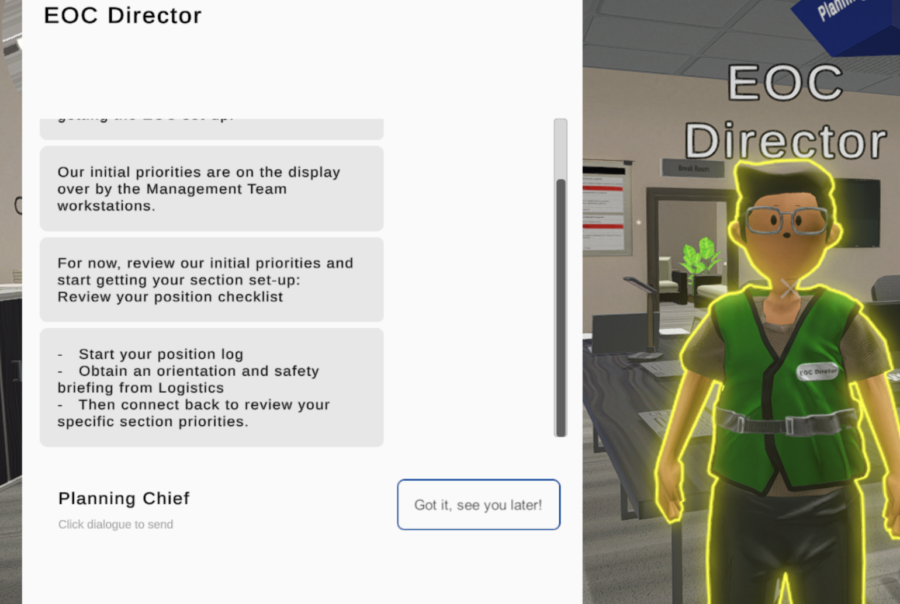
In order to make the game more realistic, JIBC expanded upon and added more in-depth information to the dialogue. This meant some interactions with characters would include multi-paragraph lines. Multiple users reported boredom during these interactions, with one user even quitting mid-dialogue, greatly impacting their overall perception of the game.
Solution: Dialogue Interactions
We collaborated closely with the JIBC team to improve the pacing and engagement of the simulator’s dialogue by incorporating more opportunities for player interaction with in-game characters. Rather than relying on long blocks of uninterrupted text, the experience was redesigned to include player responses and branching dialogue moments that made conversations feel more active and immersive. To properly support these interactive narrative elements, the project scope was adjusted with the client, shifting the focus from three partially developed characters to one fully fleshed-out character experience.
Results
Test the Game
Overview
The final result of the project was a functional and immersive Emergency Operations Center simulator that successfully translated key aspects of the in-person training exercise into an accessible online experience. Through collaborative design, iterative testing, and multidisciplinary development, the project delivered a strong foundation for future expansion while improving user engagement, realism, and accessibility for online emergency management training.
Next Steps
As we conclude this phase of the EOC Simulator, there are several clear opportunities and next steps to continue building upon the foundation we’ve established:
- Future development should focus on expanding playable roles beyond the Planning Section Chief, such as the Operations Section Chief and EOC Director to more fully simulate the real-world dynamics of an Emergency Operations Center.
- Implementing additional scenarios – like chemical spills or wildfires – would enhance the game’s flexibility and allow learners to practice a wider range of emergency responses.
- From a technical standpoint, improving the game’s scalability and performance across different browsers and devices is crucial for broader accessibility. Continued optimization for WebGL and refining the UI to better adapt to various screen sizes will ensure a smoother experience.
- On the UX side, feedback from playtests highlighted a desire for more interactivity and challenge. Future iterations should explore more advanced mini-games, branching dialogue options, and unique game mechanics to increase engagement and learning outcomes.
- Lastly, we recommend creating a detailed onboarding or tutorial system to help new players understand the mechanics, particularly those unfamiliar with video games or simulation-based learning. Additional polish in the form of ambient sound design and more dynamic NPC behavior would also greatly contribute to immersion.
Further Development
JIBC, wanting to develop the simulator further, worked with the Centre for Digital Media to continue with the project for another semester. Team Echo was the next group take up the task of further designing and developing the simulator.
The current version of the project can be found here.
Team Echo:
Katie McGregor
Kexin Chen
Anning Wang
Sunny Sun
Zea Liu
Danny Ngo